
Find each channel's spend ceiling in Alli
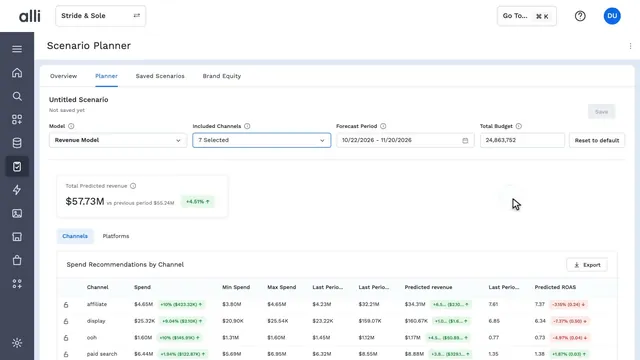
Alli Scenario Planner highlights minimum and maximum spend for every channel, then predicted revenue and ROAS, and switches to the same view by platform. Together they show where each channel sits on its diminishing-return curve, so the budget stops before a channel's returns flatten.
Next chapter See which channels to boost or trim in Alli
About Alli Scenario Planner
Alli Scenario Planner pairs sales data with brand equity signals, so you can test budget shifts and see the likely revenue impact before you spend.
Explore Alli Scenario PlannerMore Alli Planning videos
 1:18Alli Scenario Planner in actionAlli Scenario Planner
 0:17Forecast revenue for a new budget in AlliAlli Scenario Planner
 0:14Check brand equity in a budget plan in AlliAlli Scenario Planner
 0:19See which channels to boost or trim in AlliAlli Scenario Planner
 0:14See predicted revenue by channel in AlliAlli Scenario Planner
See Alli working on your data.
Book a walkthrough and we'll show you the product live, on your own platforms and numbers.
Book an intro